Why a 100M Plan Tests at 40M: GPON Upstream, DBA and Rate-Limit Profiles
Key takeaways: When a subscriber on a 100 Mbps plan tests at 40 Mbps, the line is usually fine. Three limits are stacked on top of each other: PON upstream is a shared 1.25 Gbps pipe, the DBA only guarantees a fraction of it to each ONU's T-CONT, and the rate-limit profile clips the rest with an undersized burst bucket. Get any one of the three wrong and the test result lands at half the advertised speed. This article separates the three, does the arithmetic, and gives hotel and apartment projects a configuration order they can copy — plus a five-step field sequence for finding which layer is actually capping the user.
1. Three different "bandwidths" — stop mixing them
Inside a single project, "100 Mbps" means at least three different things. Confusing them is how vendor, integrator and operator end up blaming each other:
- Plan rate (PIR) — the number on the price sheet. It is a ceiling, not a reservation.
- Guaranteed rate (CIR) — what the OLT's DBA is willing to reserve for that ONU at peak hour. This is the only number worth putting in a contract.
- Measured rate — what the customer's speed test reports, after passing through TCP windowing, Wi-Fi and test-server distance.
The relationship is simple: measured ≤ peak-hour available ≈ min(CIR + whatever share of spare capacity it wins, PIR). If CIR is set far below PIR, peak-hour results will always sit well under the plan rate. That is a design outcome, not a fault.
Run the arithmetic that most projects skip. GPON upstream line rate is 1.244 Gbps; after overhead roughly 1.1 Gbps is usable. A 1:32 split means 32 subscribers share that 1.1 Gbps — about 34 Mbps each on average. If 30% of them saturate simultaneously (10 subscribers), each can take roughly 110 Mbps. If all 32 saturate, each gets 34 Mbps. A busy-hour result of 40 Mbps sits exactly in that band.
So the first thing to fix is not the equipment configuration but the wording on the quote: sell "up to 100 Mbps, guaranteed 20 Mbps" and the complaint volume drops immediately.
2. Why GPON upstream is structurally tight
GPON is deliberately asymmetric. Downstream runs at 2.488 Gbps and is broadcast — the OLT transmits once and every ONU picks out what it needs. Upstream runs at 1.244 Gbps over a shared TDMA medium: every ONU queues in the same allocation map, transmits only when granted a timeslot, and only one ONU transmits at any instant.
Two engineering consequences follow:
- Upstream is a queue, not a private lane. An ONU that wants 100 Mbps upstream must first be granted enough timeslots. No grant, no throughput — regardless of optical quality.
- Split ratio is a congestion setting. Every doubling of the split ratio halves the average upstream per subscriber, while saving only a little on materials.
| Split ratio | Average upstream per subscriber (1.1 Gbps usable) | Typical fit |
|---|---|---|
| 1:8 | ~137 Mbps | Business circuits, premium small projects |
| 1:16 | ~68 Mbps | Apartments up to 32 units, boutique hotels |
| 1:32 | ~34 Mbps | Standard hotel guest rooms, residential blocks |
| 1:64 | ~17 Mbps | Browsing and video only — do not sell fast plans here |
Read the table as a design rule: if you intend to sell 100 Mbps, do not go beyond a 1:16 split. On 1:32 you can still sell 100 Mbps, but you are relying on statistical multiplexing and you must say so in the contract.
3. DBA and T-CONT: how much the OLT is actually willing to hand over
The DBA (dynamic bandwidth allocation) decides who transmits in the next cycle. It schedules per T-CONT, and a single ONU can carry several T-CONTs for different services.
The standard defines five T-CONT types; three matter in practice:
- Type 1 (fixed) — reserved whether or not there is traffic. Correct for voice and leased lines, wasteful for residents.
- Type 2 / 3 (assured, plus non-assured) — the assured portion is served first, the rest competes. This is what hotel rooms and apartment units should use.
- Type 4 (best effort) — pure competition. Fine for guest Wi-Fi, IoT and firmware updates.
- Type 5 (mixed) — assured, non-assured and best effort in one container; the most flexible and the usual default on modern OLTs.
On the DBA mode: SR (status reporting) has the ONU report queue depth, so the OLT schedules accurately; NSR (non-status reporting) infers demand from monitored traffic, which is simpler but reacts slowly to bursts. For hotels and apartments — mostly web, streaming and video calls — SR is the better choice.
One configuration discipline matters more than the rest: the sum of CIR across all ONUs on a PON port must stay under about 80% of usable upstream. The remaining 20% absorbs bursts and signalling. Oversubscribe the assured bandwidth and every guarantee quietly becomes fiction at 9 p.m.
Work a 64-unit project: 1.1 Gbps × 80% ≈ 880 Mbps, divided by 64 units, gives roughly 13–14 Mbps guaranteed per unit. Configure "40 Mbps assured per unit" instead and you have promised 2.56 Gbps on a 1.1 Gbps pipe — arithmetically impossible from the start. The options are: drop CIR to about 12 Mbps, tighten the split ratio, or move to XG-PON.
4. Rate-limit profiles: why the first test is fast and the second one is not
The traffic profile is the second layer, and the one most often left on defaults. It normally has two buckets:
- Peak bucket (PIR) — sets the maximum rate, matching the plan.
- Burst bucket — how many bytes may be sent above the rate for a short interval. Note the unit: bytes, not bits per second.
Plenty of deployments fill in PIR and leave burst at a small default — sometimes only tens of kilobytes. TCP slow start ramps the window up, the policer clips it, the window collapses, ramps again, gets clipped again. Single-stream tests never reach the plan rate while multi-stream tests look healthy, because parallel connections each get their own allowance. What the customer reports is "downloads are slow but the speed test says it's fine".
Practical starting point: make the burst bucket at least one second of PIR traffic. For a 100 Mbps plan that is 100 Mbit ÷ 8 ≈ 12.5 MB; start at 12–16 MB and trim from measurements. Watch the units — some templates take KB, some take bytes, some take bits, and a single mix-up is an 8× error.
An even more common mistake: applying the profile to the OLT uplink port instead of each ONU service port. The whole building then shares one 100 Mbps allowance. One subscriber tests normally, two subscribers each get 50 Mbps, ten subscribers stall together. Per-subscriber shaping belongs at the access layer.
5. Which layer should do the limiting
| Layer | Where | What it governs | If it is misconfigured |
|---|---|---|---|
| Access | ONU service port / T-CONT | Per-subscriber upstream and downstream | One subscriber saturates the PON and everyone else stalls |
| Aggregation | OLT uplink port | Protection for the whole OLT egress | The entire building is pinned to one ceiling |
| Egress | BRAS / router / billing platform | Account-level policy and plan binding | Plan changes never take effect, or fight the access layer |
Split the work cleanly: shape per subscriber at the access layer — that is the only place that should define plan speed; use the uplink only for congestion protection with a threshold around 85–90%; keep the egress layer for authentication and billing policy, and do not shape there as well. When limits stack, the effective rate is the minimum of all of them, which is the third source of "100 Mbps that tests at 40".
6. Three profiles you can start from
These are engineering starting points, not universal answers. Calibrate them against measured concurrency on site — occupied hotels and high-turnover apartment blocks behave very differently from offices.
| Scenario | Units | Plan PIR | Assured CIR | Split | Suggested OLT |
|---|---|---|---|---|---|
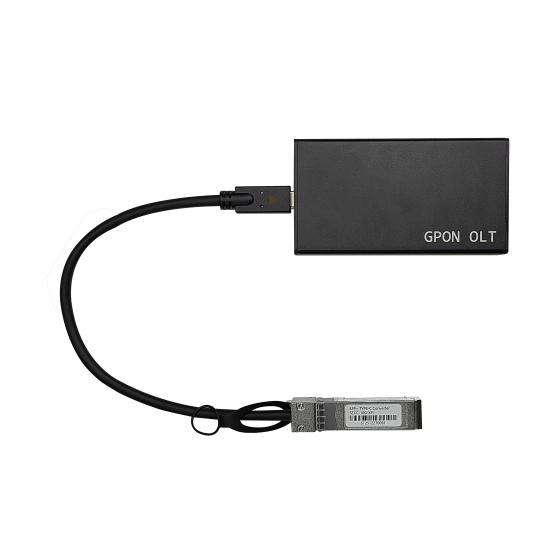
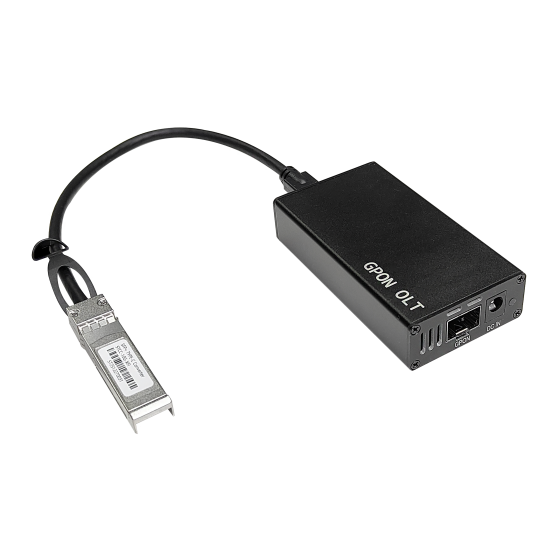
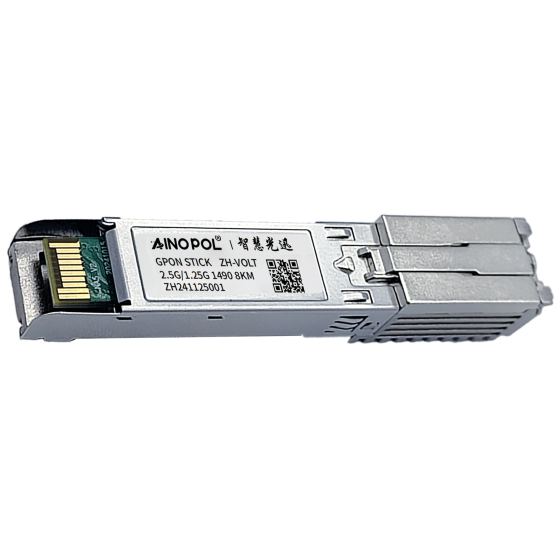
| Small apartment block | ≤32 | 100 Mbps | 25 Mbps | 1:16 | ZH-vOLT32 |
| Mid-size hotel rooms | 64 | 50–100 Mbps | 12–15 Mbps | 1:32 | ZH-vOLT64 |
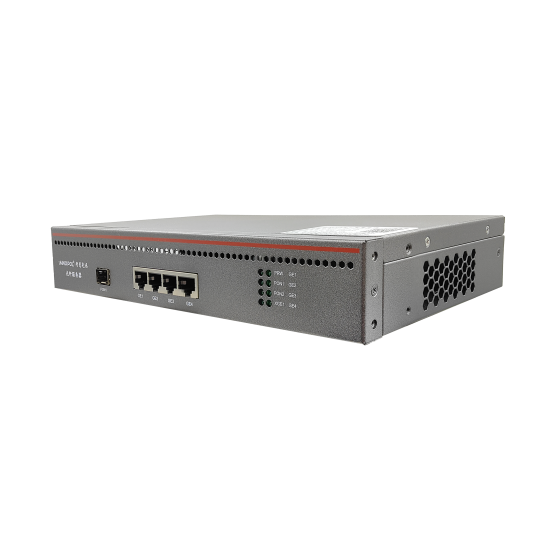
| High-density apartments, 4K IPTV | 100+ | 200–500 Mbps | 50 Mbps | 1:32 (XG-PON) | ZH-VOLTXG64 |
Choose by capacity step, not by price. Up to 32 units, a 32-port OLT gives the lowest cost per port. Around 64 units with room to grow, move to 64 ports. The moment a project wants to sell 200 Mbps or more, or upstream complaints start arriving, stop squeezing GPON and go to XG-PON — its real advantage here is not the 10 Gbps downstream but upstream moving from 1.25 to 2.5 Gbps, which is what upstream-congestion complaints respond to.
7. Five field steps: find the layer that is capping the user
- Check optical power and errors. Received power should sit between about −8 and −27 dBm. Near −27 dBm, fix the physical layer first — dirty connectors, tight bends, too many splitter stages — before touching any profile.
- Bypass the customer's router and test at the ONU port. This clears out cheap routers, Wi-Fi and old cabling. A large share of "slow bandwidth" tickets end here.
- Inspect the actual T-CONT grants and PON-port upstream utilisation. If upstream sits above 80% for long periods, the problem is capacity; no amount of profile tuning will fix it.
- Check where the profile is attached and how big the burst is. The profile must be on the ONU service port, not the uplink, and burst should be at least one second of PIR.
- Check uplink and egress utilisation. Above 70% at peak hour, plan an upgrade or rework the convergence ratio. Problems at this layer show up on every subscriber at once.
Keep the order: physical, subscriber side, scheduling, profile, aggregation. Run it out of order and the usual outcome is treating a capacity problem as a configuration problem — endless profile edits, nothing fixed.
8. The test method itself can mislead you
Acceptance testing and complaint reproduction are two different measurements and should be reported separately.
- Single-stream throughput is capped by the TCP window. Throughput ≈ window ÷ RTT. A 64 KB window over 30 ms gives roughly 17 Mbps; 256 KB gives about 68 Mbps; only around 1 MB reaches 270 Mbps. An old laptop failing to fill a gigabit line is a protocol limit, not a bandwidth shortage.
- Test-server distance depresses results. Cross-border or cross-carrier nodes add latency and single-stream numbers collapse. Always test against a local node on the same network.
- Wi-Fi is the classic false alarm. A phone on 2.4 GHz typically tops out around 40–70 Mbps; only 5 GHz approaches the plan rate. Use wired, multi-stream tests for acceptance, and reproduce complaints in the customer's own environment.
9. Mistakes that keep coming back
- Assuming a higher split ratio saves money. It saves cable and splitters and costs you upstream headroom and support tickets. Split ratio is a capacity decision, not a cost decision.
- Selling PIR as if it were CIR. A contract that says 100 Mbps while the network guarantees 40 is a year of trouble tickets waiting to happen.
- Shaping only the uplink. Everyone ends up slow and nobody can be held responsible.
- Ignoring IPTV multicast. Multicast is downstream and does not consume upstream, but it does occupy ONU processing and buffering — misconfigured, it shows up as "internet stalls while the TV is on".
- Thinking XG-PON is just "faster downstream". For upstream-bound projects the move from 1.25 to 2.5 Gbps upstream is the part that matters.
Conclusion
Bandwidth complaints are arithmetic, not mystery. Write the plan rate, the guaranteed rate and the measured rate as three separate numbers; keep total CIR under 80% of usable upstream; shape at the access layer with an adequate burst bucket. Most "it never reaches the plan" tickets then never get created, and operations is left with the genuine faults only.
The same PON can carry room control, voice, IPTV and CCTV alongside broadband — but every additional service means the upstream budget has to be recalculated. Do the arithmetic before choosing hardware, not after.
Contact us
If you are planning a fibre network for a hotel, apartment block or campus and want the bandwidth budget worked through against real unit counts and concurrency, talk to us directly:
- Email: zhenghui.xu@sczhgx.com
- WhatsApp: +86 17612849559
- Online store: shop.sczhgx.com