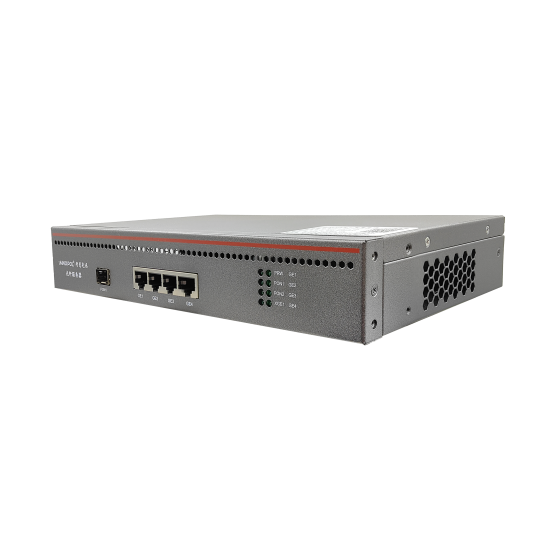
Upgrading an OLT Uplink from 1G to 10G: A Cutover That Keeps Subscribers Online
Key takeaways: Moving an OLT uplink from 1G to 10G rarely fails because of hardware. It fails in the ninety minutes of the cutover itself. This article is not about whether to change PON technology — it is about swapping the uplink port: confirming the bottleneck really sits on the uplink rather than on PON ports, choosing between a module swap and a parallel link, and then putting optical budgeting, LAG hashing, gateway coordination, rollback criteria and the 72-hour watch list onto one minute-by-minute run sheet. Follow it and the cutover can run without dropping service; at worst you hold the outage under thirty seconds.
1. Confirm the bottleneck is the uplink, not the PON ports
The most expensive mistake in uplink upgrades is spending two weeks on preparation and then finding subscribers still complain, because the real limit was the split ratio or a handful of congested PON ports. Three signals should hold true before you commit budget.
- Peak-hour uplink utilisation above 70% for seven consecutive days. Daily averages hide the problem. The decision input is the 15-minute peak between 20:00 and 23:00.
- Persistent output queue drops on the uplink port. Read the output-drops counter, not just the alarm LED.
- Complaints cluster at night and disappear by day. If daytime is slow too, the problem is optical or split-ratio related, and a 10G uplink spends money in the wrong place.
Do the arithmetic as well: a 1G uplink carries roughly 950 Mbps of usable throughput. At a busy-hour average of 8 Mbps per subscriber that is about 120 subscribers; at 4 Mbps it is about 240. Past that point, adding PON ports only moves the queue to the same port.
2. Five numbers you must have before you book a window
If any of these is missing, do not set a date. They determine which cutover style you can use, how long the window must be, and whether rollback is even meaningful.
- 15-minute peak on the uplink for seven days including the weekend. Use it to compute the real oversubscription ratio, not the advertised package speed.
- Subscriber count and split structure: uplink ÷ PON ports ÷ split ratio gives you per-subscriber bandwidth and tells you how many years the upgrade buys.
- Current module type, wavelength, reach and measured receive power. Any span with under 3 dB of margin gets cleaned and re-terminated before the cutover, not during it.
- Free 10G ports and remaining forwarding capacity on the upstream switch or router. An upgraded uplink into a full upstream chassis buys nothing.
- Gateway-side protocol state: VRRP roles, OSPF or BGP neighbour count, route table size, ARP table size. These become the baseline you compare against afterwards.
The fifth number is the one teams skip, and it is the one that tells you whether the cutover worked. Without a recorded baseline, "the link is up and pings reply" becomes the acceptance criterion, which is how half-finished cutovers get signed off. Write the numbers down, photograph the screens, and file them with the change ticket. The same applies to the target: decide in advance what oversubscription the new uplink should deliver — 3:1 is a common working target for residential access — so that the upgrade is sized against a number rather than against a vendor datasheet.
3. Module swap or parallel link: pick the right shape
Choosing wrong triples the length of the window. Only two questions matter: does the chassis already have a 10G port, and can the business tolerate the port going down?
| Aspect | Module swap, same port | Additional parallel link |
|---|---|---|
| When it fits | The chassis has a 10G cage currently running a 1G optic | You need aggregated bandwidth or link redundancy |
| Service impact | Port down/up, typically 30 seconds to 3 minutes | Can be zero in theory, with jitter during configuration |
| Ceiling | 10G on one port | 2×10G aggregated, in practice limited by hashing |
| Main risk | Optic compatibility and optical margin | Uneven hashing, Layer 2 loops, mismatched LAG mode |
| Rollback | Refit the old optic, back in two minutes | Shut the new member port, keep the original link |
4. Optical check: 10G is far less forgiving than 1G
In the 1G era, "the fibre lights up" was good enough. At 10G it is not. For the same 10 km single-mode class of link, the 10G budget is typically 2 to 4 dB tighter, and tolerance for connectors and splices drops accordingly. A span that used to work marginally will not fail outright after the swap — it will show slowly climbing CRC errors, which is the hardest kind of fault to chase.
- Measure before you swap. Log measured receive power, meter model and test wavelength. Anything under 3 dB of margin gets cleaned, re-patched or re-spliced first.
- Budget multimode by distance. At 10G, OM3 is good for roughly 300 m and OM4 for roughly 400 m. Beyond that, go single-mode; do not gamble on a marginal span.
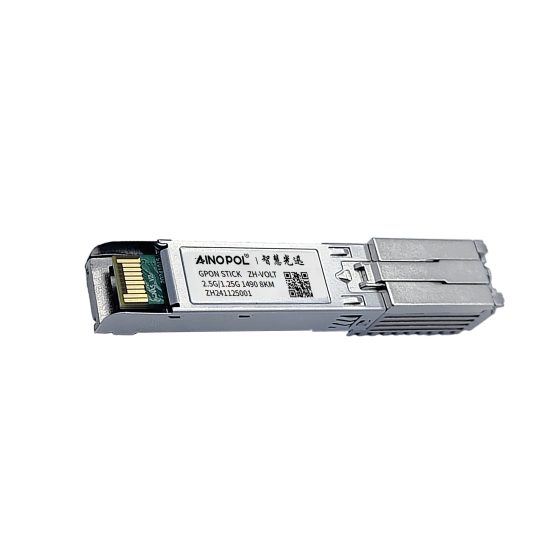
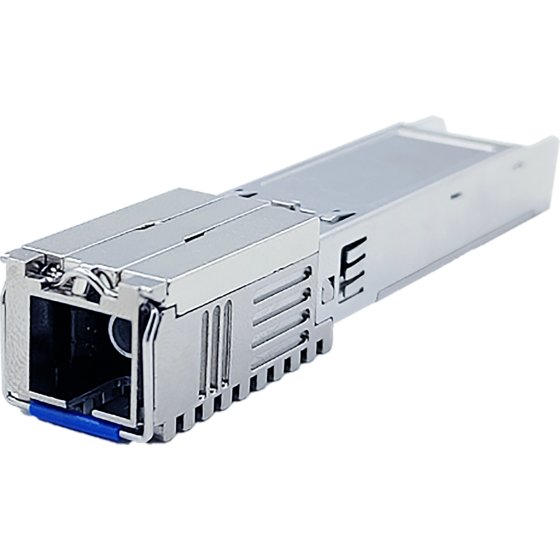
- SFP+ cages accept 1G optics, not the reverse. Mixing rates works one way only. Pin the speed manually instead of leaving both ends to auto-negotiate.
- Cleaning is the cheapest step in the project. A large share of post-cutover error-counter problems trace back to contaminated end faces, not dead optics.
5. Link aggregation adds bandwidth — not necessarily balance
You build a 2×10G bundle and one member sits at 90% while the other idles at 10%. That is a hashing problem, not a capacity problem. Four causes cover most cases.
- A single large flow occupies one member. One TCP connection has one fixed five-tuple and therefore one fixed hash result. More members do not help it.
- Too few hash fields. Hashing on source and destination MAC alone sends all routed traffic down the same member.
- Single-queue forwarding. Compact OLT designs often have few forwarding queues, so the bundle is aggregated but the transmit side still queues as one.
- Mismatched aggregation modes. Dynamic LACP on one side and static bundling on the other, or active/passive configured backwards: the link comes up but carries no traffic.
Diagnosis is simple. After bringing the bundle up, plot five-minute throughput per member. A spread wider than 20% means hashing, and the answer is to tune the hash inputs rather than to add another link.
6. The ninety-minute cutover run sheet
Split the window into stages with explicit exit conditions, and nobody on site has to ask what happens next. Keep the cast small as well: one person driving the console, one at the upstream switch, one watching subscriber samples, and one person with authority to call rollback. A committee in the room slows down every stage boundary, and stage boundaries are exactly where windows overrun.
| Time | Action | Exit condition |
|---|---|---|
| T-7 days | Spares on site, config backed up, scripts and rollback list signed off | Restore from backup verified |
| T-30 min | Confirm no P1 open, brief the on-call, capture pre-cutover baseline | Baseline screenshots filed |
| T+0 to 10 min | Swap the optic or insert the new link, confirm physical up | Receive power normal at both ends, port up |
| T+10 to 25 min | Bring up the bundle, allow VLANs, verify neighbours and routes | All neighbours up, route count matches baseline |
| T+25 to 40 min | Sample ten broadband lines, three live TV channels, one voice line | Sessions establish, speed tests pass |
| T+40 to 70 min | Open all traffic, watch error counters and utilisation | Zero error growth, utilisation flat |
| T+70 to 90 min | Declare: accepted, or roll back | Report signed, handover to on-call monitoring |
7. Three things that change outside the OLT
The port swap also moves three things upstream. Miss any one of them and the link works but behaves strangely.
- Gateway and VRRP. The port MAC changes, so upstream ARP entries briefly point at the old port and a handful of subscribers stall for tens of seconds. Shorten ARP aging beforehand or clear the table right after the switch.
- Route metrics. OSPF cost or BGP MED must match the new bandwidth. A 10G link still carrying a 1G-era cost will pull traffic the long way round, so the cutover looks clean while traffic takes a suboptimal path.
- Layer 2 redundancy. If the parallel link is Layer 2, verify it cannot form a loop with existing redundant ports. Across devices, use dynamic LACP rather than bundling two ports by hand.
8. Rollback: agree the triggers before the window
Rolling back is not failure. Not planning for it is. Write the triggers into the run sheet in advance and do not debate them at 02:00.
| Observation | Action | Deadline |
|---|---|---|
| More than 5% of sampled subscribers down | Roll back immediately, investigate afterwards | Within 10 min |
| Packet loss above 1% sustained for five minutes | Roll back, inspect optics and LAG config | Within 15 min |
| Routes unconverged beyond fifteen minutes | Roll back, check metrics and neighbour config | Within 15 min |
| CRC growth isolated to one member port | Replace optic or patch cord on site, no full rollback | Within 30 min |
One rule sits above the table: once the rollback window has closed, stop patching live. An uplink running degraded tends to surface its real fault at the next evening peak, and by then the fix costs three times what it would have cost on the night.
9. What to watch for 72 hours afterwards
A completed cutover is not a finished project. Over the next three days the question is not connectivity but stability.
- 5-minute peak uplink utilisation, ideally under 60% so burst headroom remains.
- Per-member balance, with a spread above 20% sending you back to the hash configuration.
- CRC and discard counters, which should show zero growth; slow growth usually means end faces or patch cords.
- Gateway session count, ARP table size and route flaps, compared line by line against the pre-cutover baseline.
- Evening speed tests and complaint volume, the only measurement that carries business meaning.
Three leftovers deserve their own line. MTU that never got updated, so 1492-byte packets fail on PPPoE; time synchronisation that was never restored, which corrupts log timestamps for the next fault; and pulled optics that were never logged as spares, so nobody can find one during the following incident.
Conclusion
The technical difficulty of moving an uplink from 1G to 10G is modest. What decides the outcome is process granularity: whether the five numbers were collected, whether the right cutover shape was chosen, and whether rollback triggers were written down before the window opened. Get those right and the cutover is an ordinary change ticket. Get them wrong and it becomes a three-day firefight. PON technology migration is a separate conversation; at the uplink layer, the job is simply to replace this one span cleanly.
Contact us
To discuss OLT uplink upgrades, link aggregation configuration or a cutover plan review, talk to AINOPOL:
- Email: zhenghui.xu@sczhgx.com
- WhatsApp: +86 17612849559
- Online store: shop.sczhgx.com