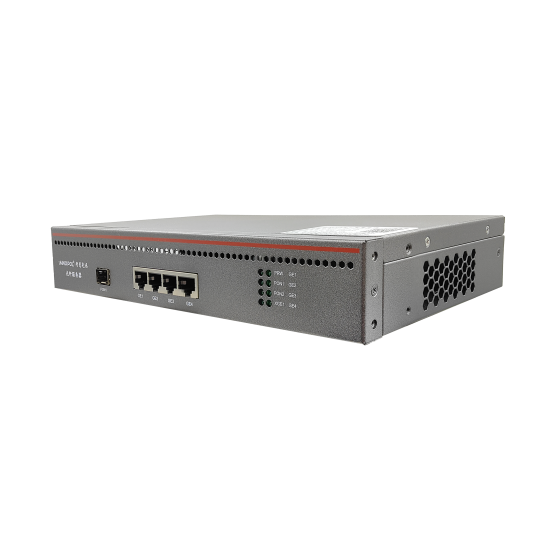
Spare ONUs and RMA Turnaround: Cutting PON Downtime to a Single Day
The short version: PON downtime is rarely set by the failure itself. It is set by the distance between "this ONU is dead" and "a replacement is plugged in at the customer's flat". This article maps that distance and shortens it: how to size a spare pool, how to rule out the failures that don't need a new unit, how to split stock across three tiers, how to get dead units back, and which RMA channel to use. It closes with five metrics worth reviewing monthly and one register worth keeping.
1. Downtime Is Built by the Process, Not the Failure
A typical ONU swap takes ten minutes of actual diagnosis, yet one to three days from "replace it" to "the customer is back online". Split that window and you find five stages: diagnosis, dispatch queue, spare in hand, truck roll, retest. Only one of them has anything to do with hardware — and it is the least controllable, because it depends on whether the right unit is in the warehouse or in the van, not on how good your engineers are.
So start with this: MTTR is a process metric, not a technical one. Two operators with identical failure rates can differ threefold on repair time, and the gap sits almost entirely in how those five stages hand off to each other.
Next, split ONU faults by whether a swap is genuinely required. Some units are dead: a burnt optical subassembly, a blown power section, a cooked port. Others work fine but look dead: insufficient received power, a broken drop cable, a lost configuration, an unprovisioned account, a failed power adapter. Treat the second group like the first and three things follow — good units get pulled, dead units stay in service, and spares disappear for no reason. Month-end stock counts then disagree with the ticket log, and nobody can explain where the missing units went.
2. Size the Spare Pool Before You Buy Anything
The usual shortcut is "5% of the installed base", a number with no traceable origin and no way to defend itself in a budget meeting. Use something that can be re-derived instead:
Spare base = units in service × annual failure rate × average turnaround days ÷ 365 × safety factor
Feed it ordinary numbers: 3,000 units live, 2% annual failure rate, 21-day turnaround, safety factor 1.3. That is 60 failures a year, roughly 0.16 a day, about 3.4 units in flight, and 4.4 after the safety factor. Round up and five spares covers the average.
The average hides two things, and both need a correction on top:
- It hides batches. One bad production batch can deliver half a year's failures inside two weeks and strip five spares in three days. Hence the batch hold rule in section 7.
- It hides geography. With stock spread across eight areas, every area needs a floor. Compute the theoretical number, then apply "one area × 2 units" as a minimum and take the larger of the two.
Also separate circulating spares (consumed by faults, replaced immediately) from project spares (consumed by new installs). Pool them in one bin and your count will never reconcile — installation crews quietly eat the safety stock that field service depends on.
3. Rule Out the Fake Failures First
Turn "does this need a new unit?" into a table an engineer can follow without calling a supervisor at 22:00:
| What you see | Check first | Decision basis | Swap? |
|---|---|---|---|
| PON LED dark, never registers | Received optical power | Below the sensitivity floor in that model's datasheet | No — check drop cable, splice, splitter port |
| Good light level, will not register | Is the serial visible on the OLT | Listed but offline | No — whitelist, authorisation, port config |
| Registers, then drops repeatedly | Power adapter and case temperature | Recovers on a known-good adapter; case too hot to hold | Adapter first, unit only if it still drops |
| Online, but no service | VLAN, account, authentication | Layer 2 reachable, RADIUS silent | No — configuration or billing |
| Completely dead, no LEDs at all | Retry with a known-good PSU and patch cord | Still dark | Yes — start the swap |
The value of this table isn't technical, it's conditional: it makes a swap something an engineer has to earn rather than something to try. Without that gate, the only available move on site is "let's try another one", and spare consumption stops being a number you can forecast.
4. Three Tiers: Central Store, Area Store, Van Stock
With a single store, every swap needs a trip back for parts — and that trip is often slower than the customer visit. Three tiers exist so an ordinary swap can be finished on the first visit.
| Tier | What sits there | Quantity basis | Replenish trigger |
|---|---|---|---|
| Central store | All ONU models, OLT line cards, optics, splitters | Three months of consumption | Below 1.5 months |
| Area store | Mainstream ONUs, adapters, patch cords | One unit per 200 subscribers | Below two units |
| Van stock | Two mainstream ONUs, one adapter, two patch cords | Two units per engineer | Same day, every job |
Van stock is the tier everyone underrates and the one that decides MTTR. Its purpose isn't "carry a bit more" — it's to remove the judgement call before the engineer leaves the yard. The moment someone has to decide whether this job will need a unit, somebody gambles, drives out empty-handed, and waits on site.
The rule that keeps it alive is same-day replenishment. Skip it and the vans empty out within a fortnight; every swap drifts back to the store-trip pattern and the three-tier structure may as well not exist.
One prerequisite is usually skipped too: model consolidation. Van stock only works with one or two mainstream models. Five models live and nobody's van matches the job. Consolidate new installs first, then talk about a spare pool — the wider the model spread, the more expensive the spares and the lower the hit rate.
5. Five Steps at the Door, and One Rule You Can't Skip
The swap itself is ten minutes. What goes wrong is the paperwork. Fix the sequence:
- Photograph before you touch anything. Old serial, LED state and optical reading in one frame. This is the only evidence that survives for RMA decisions and batch tracing — it cannot be recreated later.
- Retest on the spot. Optical level, registration state, up/down throughput, all three, before you leave. Finding a problem after you've driven away is a second truck roll.
- Label the dead unit. Serial, removal date, symptom, engineer. Put it on the back of the case, not over the optical port.
- Update the register the same day. Old serial moves from in-service to awaiting RMA; new serial goes into the subscriber record. Do both or the two records will drift apart within a month.
- Return it within three working days. Dead units go back to the area store — not to a van floor, not to someone's garage.
The rule you cannot skip: make the return rate a hard target. Below 90% two things happen at once. Spare consumption inflates by roughly a tenth overnight, and RMA claims lose their evidence, because vendors reimburse against serialised hardware. A dead unit that never comes back is a pure cost with nothing to show for it.
6. Three RMA Channels — Negotiate the Boundaries Up Front
RMA is not one process. It is three, and they suit different hardware. If the purchase contract doesn't say which applies, the field defaults to the slowest one.
- Repair. Unit goes back to the factory, typically three to six weeks. Right for high-value, low-volume items such as OLT line cards and optics. Hopeless for keeping service on thousands of ONUs.
- Advance replacement. The vendor ships first and collects later, measured in days. Right for cheap, high-volume CPE. The price is usually a deposit or credit line, plus a clause charging you for units not returned on time.
- Batch claim. A production batch fails in a cluster, so the whole lot is exchanged rather than adjudicated unit by unit. It only works if you can prove the cluster — which is why the tracing in section 7 is a precondition, not an extra.
Define DOA explicitly as well. The usual wording: failure within seven days of power-on, not caused by mishandling, replaced outright and excluded from subscriber fault statistics. Without that definition DOA turns into an "installation quality" argument, both sides dig in, and the whole batch sits in a warehouse while it is settled. One more clause is routinely overlooked: does a repaired unit count as new stock or old? If repaired units may only go to the central store and never to a van, your van replenishment cycle lengthens and the turnaround figure from section 2 has to be revised upward.
7. Batch Traceability: Turn Serial Numbers Into a Failure Curve
Most teams record serial numbers and never use them. The method is simple: put removal date and serial side by side for every swap, group by the first six to eight characters of the serial (usually the production batch), and build a failure-rate grid of batch against installation month.
A workable rule: if one batch passes three times the failure rate of the others within 90 days of installation, and the sample is at least 30 units, hold that batch from further shipment and put the installed units on a proactive replacement list.
Proactive replacement looks expensive and usually isn't. No repeat diagnosis, work scheduled in daylight, no night call-outs and no complaints trailing behind them. Waiting for failures to arrive one by one turns every unit into its own emergency.
8. Five Numbers a Month
More metrics rarely help. On this chain, five are enough to show which stage is broken:
| Metric | How it's calculated | What it exposes | Typical range |
|---|---|---|---|
| MTTR | Mean hours from ticket to service restored | How well the five stages hand off | Under 24 h, urban |
| First-time fix | Jobs closed on first visit ÷ all jobs | Diagnosis quality and van hit rate | Above 85% |
| Spare turnover | Annual consumption ÷ average stock | Stock too heavy or too thin | 4–8 turns a year |
| No-fault-found rate | Units returned as NFF ÷ all returns | Fake failures and diagnosis quality | Below 20% |
| RMA cycle time | Days from shipping the dead unit to receiving the replacement | Vendor performance and contract terms | Under 30 days |
Treat the ranges as a starting point, not a target sheet. Record for three months and use your own baseline instead. And of the five, the no-fault-found rate is the one to attack first: a high number means spares are being burnt on problems an engineer could have cleared in ten minutes on site.
9. What a Spare Parts Register Should Contain
Everything above collapses into one table. Ten columns are enough: serial, model, batch (first six to eight characters), status (in service, in stock, awaiting RMA, scrapped), location (area, van, bin), install date, removal date, symptom, RMA reference, owner and entry date.
Its purpose isn't record-keeping, it's lookup: where a given unit is now, how many failures a batch has produced, how many units are left in one engineer's van, which desk an RMA claim is stuck on. A register you can query is a register. A form you can only fill in is a logbook.
Conclusion
Spare parts management reads like logistics, but in a PON network it is the part of operations the subscriber actually feels. Failure rates belong to the hardware and there's limited room to move them. The interval between "confirmed dead" and "customer back online" belongs almost entirely to process. Size the pool correctly, filter out the fake failures, keep the vans stocked, get the dead units back — and MTTR drops from three days to one without buying a single extra device.
Almost all of that cost is management cost, not capital: no new platform, no new system, just one register and two habits — replenish the same day, return within three working days. Designing the process was never the hard part. Keeping it running in month three is.
Contact Us
Planning spare coverage, a swap workflow or a batch replacement for an existing GPON or XG-PON network? Talk to AINOPOL. We can review your installed base, spare base and RMA terms together, and put together a spare list that matches the OLT and ONU models you actually run.
- Email: zhenghui.xu@sczhgx.com
- WhatsApp: +86 17612849559
- Online store: shop.sczhgx.com