IPv6 on a PON: Address Planning, RA and DHCPv6, and a Rollout That Holds
Key takeaways: IPv6 is not just a longer address field. On a PON it changes three things at once: how hosts are addressed (no ARP, but Neighbor Discovery and Router Advertisements), who is responsible for what (who advertises the prefix, who hands out addresses, who hands out DNS), and how large a block each subscriber actually receives. Get those three wrong and the first day of dual-stack looks like this: the gateway answers pings but nothing loads, IPv6 works intermittently, or a CCTV link drops every time the ONU reboots because the delegated prefix changed. Below is a planning table, four RA/DHCPv6 combinations, the ONU's real boundary, six common traps, and a rollout you can follow step by step.
1. Why IPv6 Is Now an Access-Network Problem
ISPs and hotel IT teams are hitting the same wall from opposite directions: IPv4 has run out — not because addresses became expensive, but because more and more people have to share one. Put a thousand subscribers behind a single public IPv4 and the port space becomes the bottleneck. Online gaming fails to connect, some camera streams get throttled, a handful of client logins break, and the help-desk queue starts to grow. CGNAT also turns logging into a compliance burden: every connection has to record who used which port and when, and the storage bill often costs more than the address ever did.
Meanwhile the client side is already there. Phones, Windows, Android and smart TVs ship dual-stack by default. The moment your DNS returns an AAAA record, the client will try IPv6 first. So even if you have not deployed IPv6, your subscribers' devices are already waiting for it. Once an upstream or a content source goes IPv6-only, the missing piece is no longer an optimisation item — it is an outage.
2. What Actually Changes on a PON
Most people assume the work is in the hardware. It is not. The work is in deciding who owns what. Under IPv4 an address is a number you configure on an interface. Under IPv6 an address is something the host calculates for itself out of a prefix the router advertises. Once that clicks, every configuration decision downstream makes sense.
| Aspect | IPv4 access network | IPv6 access network |
|---|---|---|
| Where addresses come from | DHCP hands out one address, or PPPoE negotiates one | RA advertises a prefix, host self-configures (SLAAC); or DHCPv6 assigns |
| Layer-2 resolution | ARP broadcast, visible to the whole port | Neighbor Discovery over multicast (NS/NA), no broadcast |
| Size of one segment | /24 is typical, 254 usable addresses | A LAN segment is always /64 — 2^64 addresses |
| What you give a customer | One public IP already feels generous | /64 is the floor, /56 is normal practice |
| NAT | Almost always required | Not used; NPTv6 only if translation is unavoidable |
| Where it breaks | Address conflicts, exhausted DHCP pools | Filtered RAs, prefix changes, blocked ICMPv6 |
Pay attention to that last row. IPv6 has no broadcast, and a lot of "it works" depends on ICMPv6: Neighbor Discovery runs on it, and so does path MTU discovery. Blocking ICMPv6 at the firewall as if it were a dangerous protocol shuts down the whole mechanism, not just one feature.
3. Address Planning: From /32 Down to a /64 per Room
If the plan is wrong, every new building forces a network-wide change. The reliable approach is to split by tier and leave headroom at each tier so one plan survives five years.
- Operator level: what you receive from the RIR is typically a /32. Split it into /36s per region or city. Sixteen blocks per region is plenty — IPv6 is not a place to be frugal.
- Site and OLT: give each OLT a /40 or /44. However many PON ports sit under it, they all fit inside its own block, and adding capacity never touches anyone else's addressing.
- PON port: where one PON port maps to one subscriber segment, allocate a /48 per port. With 1:64 splitting and a /64 per home, a single /48 covers 65,536 homes — far beyond what one port can physically serve.
- Subscriber: homes and guest rooms get a fixed /64. Business customers running their own network get a /56 (256 /64s), and multi-site customers a /48. Delegate with DHCPv6-PD so the prefix follows the customer, not the port.
One rule that is not negotiable: any LAN segment facing end devices must be a /64. Do not try /72 or similar to "save addresses". SLAAC behaviour on non-/64 links is undefined and some devices simply never configure an address. The address space is large enough that conserving it only buys you tickets.
4. RA or DHCPv6: Choosing Among Four Combinations
This is not a matter of taste. It is a question of how much control you want over end devices — whether you need to push DNS, and whether you need a record of which device holds which address.
| Combination | Address source | DNS source | Best fit |
|---|---|---|---|
| SLAAC only (M=0, O=0) | Host self-configures | RDNSS inside the RA | Hotel guest rooms, visitor Wi-Fi; simplest, stateless |
| SLAAC + stateless DHCPv6 (M=0, O=1) | Host self-configures | DHCPv6 | You must push several DNS servers or a domain suffix without keeping leases |
| Stateful DHCPv6 (M=1) | DHCPv6 assigns | DHCPv6 | You need an address ledger, MAC binding, or business circuits |
| DHCPv6-PD (delegation) | Customer router splits further | Customer decides | Business customers, campuses, any site with a second router |
A practical default: SLAAC for guest rooms and visitor networks, PD for business customers, and stateless DHCPv6 only where you genuinely need centralised DNS. Be careful with stateful DHCPv6 — Android does not support it for address assignment and relies on SLAAC alone, so in an M=1 network Android phones end up with no address at all. That single detail accounts for a large share of field tickets.
5. What the ONU Actually Does in an IPv6 Network
In the vast majority of PON deployments the ONU is a layer-2 bridge. It carries subscriber Ethernet frames into a GEM port and never touches the IP header. IPv6 is therefore essentially transparent to it: RAs, DHCPv6 and ND all pass straight through to the OLT or BNG. The upside is that existing ONUs do not need replacing. The downside is three things people overlook:
- MTU. GPON carries 1500 bytes comfortably, but PPPoE encapsulation leaves 1492 usable, and the IPv6 header adds another 40 bytes on top. Once you stack tunnels or dual-stack transports, ICMPv6 "Packet Too Big" must be allowed through — otherwise large packets stall and pages load halfway.
- Multicast and RA suppression. RAs are multicast to ff02::1. An ONU with "multicast suppression" or "drop unknown multicast" enabled will drop the RA as well, and the symptom is the confusing one: the ONU is online but subscribers get no address.
- ONUs in router mode. When the ONU dials out itself, it becomes the customer's first-hop router and must advertise its own RA and delegate a prefix downwards. Confirm PD works on that model; if it does not, downstream equipment gets no prefix and IPv6 never comes up for the whole building.
6. Hotels and Apartments: Segmenting the Guest Network
The hard part in hospitality is not address volume — it is isolation and traceability. In a 200-room building, putting every room in one /64 makes rooms layer-2 adjacent, so a guest casting to a TV can be seen from next door, and that is a very difficult complaint to explain. The correct approach is one /64 per room segment combined with VLAN or PON-port isolation. A single /56 yields 256 room segments, which is more than enough for one building.
Reserve two more segments separately: a device management segment (in-band management addresses for ONUs, APs and IPTV set-top boxes — its own /64, never mixed with guest rooms) and a visitor segment (SLAAC only, rate-limited, no internal DNS published). Keep those three apart and auditing, rate limiting and fault isolation all become straightforward later, with no need to revisit the address plan.
7. Six Traps in the Dual-Stack Overlap Period
| Symptom | Actual cause | Fix |
|---|---|---|
| Gateway pings, pages will not load | DNS is IPv4-only, or the RA carries no RDNSS | Add RDNSS or enable stateless DHCPv6 |
| Android phones get no IPv6 address | Network is set to stateful DHCPv6 (M=1) | Go back to SLAAC (M=0) and let hosts self-configure |
| Some sites load very slowly | IPv6 routing exists but the upstream path drops packets, so Happy Eyeballs keeps falling back | Fix the IPv6 path; do not hide it by disabling IPv6 |
| Large uploads stall | ICMPv6 Packet Too Big is filtered, so PMTUD fails | Permit ICMPv6 types 1, 2, 3, 4 and 133–137 |
| CCTV goes offline after an ONU reboot | The delegated prefix changes on every dial, and DDNS lags behind | Pin a static prefix for critical customers, or shorten the DDNS refresh |
| Billing does not match the ledger | Only IPv4 sessions are recorded; IPv6 takes a different path | Bind both IPv4 and IPv6 sessions in authentication and accounting |
The first two account for most real-world tickets. The third deserves emphasis: never "solve" slow IPv6 by turning IPv6 off. That only hands the problem to whoever takes over next, and it breaks any new service that depends on IPv6-only resources.
8. Rollout: Prove One PON Port First
- Write the plan down. One page covering the five tiers — RIR prefix, region, OLT, PON port, subscriber. Nobody improvises changes on site.
- Sort out the upstream. Confirm how much prefix you receive, whether PD delegation is supported, and that the next hop is already dual-stack, before touching anything on the subscriber side.
- Light up a single PON port. Pick a lightly loaded port with a clean rollback path, enable RA and DHCPv6, and watch it for 48 hours.
- Track four numbers. Share of subscribers with an address, IPv6 share of egress traffic, AAAA resolution success rate, ICMPv6 drop counters. If the first two do not move, do not expand.
- Scale to the whole OLT, then to the network. Every batch needs a rollback switch: disabling RA reverts the change without touching IPv4 service.
- Close the loop on records and monitoring. Add subscriber prefixes, delegation lengths and lease times to the asset ledger, and put them under alerting.
Define acceptance up front: spot-check twenty subscribers and get a /64 on every one; IPv6 carrying at least 15 percent of egress traffic; seven consecutive days with no RA-related alarms. If any of those fail, stay on the current batch rather than chasing a coverage number.
9. Troubleshooting: Five Commands and What They Tell You
show ipv6 interface— confirm the PON port or subinterface is up, a prefix is assigned, and RAs are being sent.show ipv6 neighbors— an empty table means ND is not working; check multicast handling first.show dhcpv6 binding(or relay counters) — see whether requests arrive and whether they are dropped, which separates "never sent" from "never answered".- On the client,
ip -6 addrandip -6 route— a link-local address with no global address means no RA arrived; a global address with no default route means Router Lifetime is zero in the RA. ping6andtraceroute6from the OLT towards the subscriber — this tells you whether the break is on the local link or upstream.
The pattern in IPv6 is rarely "nothing". It is "something, incompletely": an address but no DNS, a default route but the wrong MTU. Work the sequence address, then gateway, then DNS, then MTU — it is faster than reading logs.
10. Final Thoughts
Bringing IPv6 onto a PON is not really a configuration exercise. It comes down to two things: an address split written down so clearly that nobody changes it on site, and a written answer to who advertises the prefix, who assigns addresses, and who provides DNS. Settle those and the rest is just staged rollout. Do it the other way round — hardware first, planning later — and the rework usually starts at the third building or the two-hundredth guest room.
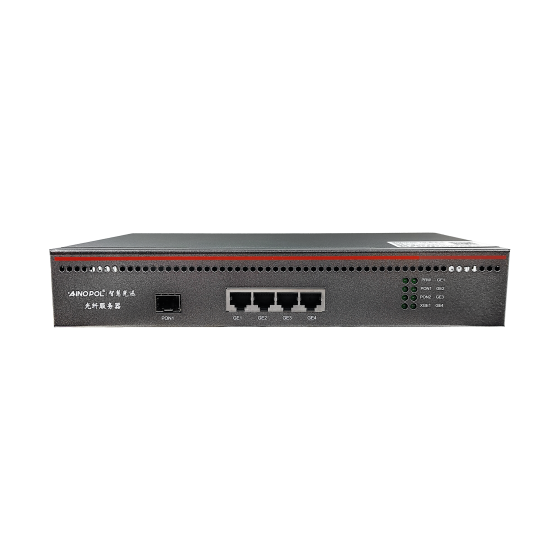
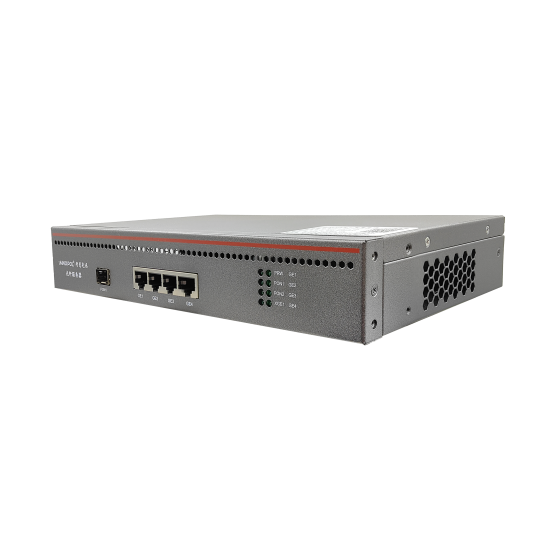
If you are planning an access network for new buildings, an OLT expansion, or a project that has to be handed over to a carrier, our 32-port, 64-port and 10G-uplink models can be laid out on top of the same address plan. Size the capacity and port count first, then pick the model — that is far cheaper than buying hardware and bending the plan around it.
Contact Us
If you would like a second pair of eyes on the capacity and addressing plan for your project, get in touch:
- Email: zhenghui.xu@sczhgx.com
- WhatsApp: +86 17612849559
- Online store: shop.sczhgx.com