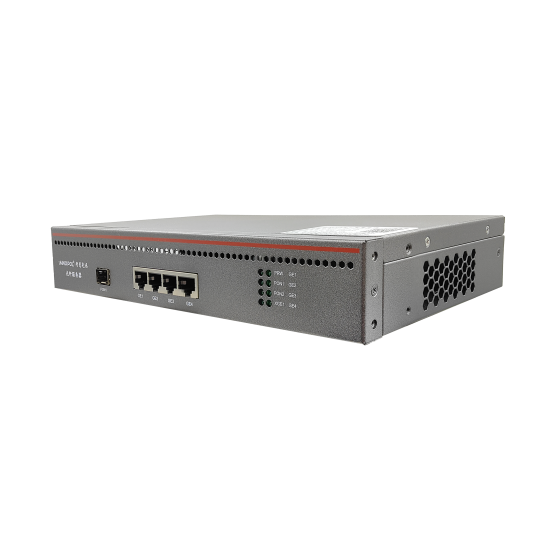
Swap the Box, Keep the Identity: How ONU Registration Really Works
The short version: whether a replacement ONT needs to be re-provisioned depends entirely on what your network recognises. If the OLT identifies the device, a swap is just carrying one identity from one box to another. If the network identifies the subscriber, the box never mattered in the first place. Mix the two layers together and every swap turns into a phone call between departments. Separate them, and a swap becomes a five-minute physical job.
1. Two Different Handshakes
Every PON activation follows the same sequence: physical sync, ranging, identity report, authorisation, profile push, service up. The first half belongs to the device layer. Until it completes, the OLT will not hand a service profile to that ONT at all. Account, rate limit and billing sit on top of that.
| Item | Device registration (this article) | Subscriber authentication |
|---|---|---|
| Who asks | OLT asks the ONT: which unit are you | Server asks the user: is this account valid |
| What is checked | SN, MAC, LOID or password | PPPoE account, Option 82, portal login |
| How it fails | PON LED blinks, unit is absent from the OLT list | PON LED steady, browser gets nothing |
| Who owns it | Field technician and headend | Billing and front office |
The two failures look nothing alike, which is where most misdiagnosis starts. A registration failure leaves the PON LED blinking. An authentication failure leaves it steady, because the light path is already healthy. One look at the LED, one look at the OLT list, and you have routed the ticket in two minutes.
2. Pick One Registration Method, Not All Four
| Method | Credential | Strength | Weakness |
|---|---|---|---|
| Serial number | Vendor code plus serial, fixed at factory | Cannot be edited, fully traceable | Every swap needs the new number entered |
| MAC address | Device NIC address | Universal, easy to read out | Spoofable, multi-port units have several |
| LOID and password | Logical ID issued by the operator | Decoupled from hardware, batchable | Needs a numbering scheme, easy to mistype |
| Auto-find | None | Fastest possible activation | Any compliant unit that gets plugged in comes up |
For hotels and apartment blocks the workable combination is serial number enforced, LOID as secondary. The serial answers "which units are allowed on this network"; the LOID, aligned to the room number, answers "which room does this unit belong to". Doing both means a future swap has proof on both sides without rebuilding the whole registration scheme.
Small self-built networks often argue that with only a few dozen subscribers, this is over-engineering. Subscriber count is not the risk measure. Everyone on a PON port shares the same physical medium, so a single unauthorised unit degrades the whole port, not one household. And an allow-list costs almost the same to maintain at 40 units as at 400. Two days of setup buys back dozens of site visits.
3. Auto-Find Is Not a Piracy Problem, It Is a Management Problem
The fear is usually a neighbour plugging in a cheap ONT to steal bandwidth. The real damage comes later: a foreign unit that comes up automatically also receives a service profile automatically. You have just handed out a slice of upstream capacity and a set of VLANs to a device that does not appear anywhere on your roster.
- Fix the port: one VLAN per port, no cross-port pass-through, so a misplugged unit cannot reach anyone else's domain.
- Throttle on arrival: attach a minimum-tier rate profile by default, so an unclaimed port carries almost no traffic.
- Reconcile daily: compare the allow-list against what is actually registered, and clear the difference the same day.
Do all three and auto-find stops being an open door and becomes a corridor with a turnstile. What you save is activation time; what it costs is one glance at a list every morning.
4. Three Swap Scenarios, Three Procedures
| Scenario | Key action | Blast radius |
|---|---|---|
| Same model, failed unit | Enter new serial in allow-list, push original profile | One room, five to ten minutes |
| Different model, upgrade | Confirm compatibility and capacity, build a new profile first | One room or a batch |
| Fleet replacement | Bulk import serials, roll out floor by floor | One to several floors |
Downtime is set by when the new serial enters the allow-list, not by the hardware. Pre-load the spare units as pending-activation, and the technician plugs in and walks away; what you removed from the process is the phone call in the middle. Fleet replacement runs the other way: never all at once. One floor per day, with an observation window before the next.
Model upgrades need one extra check. Verify the optical module class, the OMCI capability set, and whether the new unit type needs its own profile template. Miss any one of the three and you get the worst outcome available: registration succeeds, service does not work. A silent false positive is harder to chase than a clean failure.
5. Registration Failures, in This Order
- PON LED dark: no light path. Check patch cord and port first.
- PON LED blinking, never registers: marginal optical power, or the serial is not in the list.
- Registered on the OLT but no service: profile, VLAN or rate limit never pushed.
- One serial showing on two units: allow-list conflict. Isolate first, clean up after.
- Registers then drops: optical power sitting on the threshold, or a rogue transmitter on the same port.
- Only some rooms fail: follow the splitter branch, not the OLT.
- Fails right after a swap: list not updated, or the old profile still bound.
Do not reorder this. Light first, identity second, profile last. Following it cuts most remote troubleshooting down to a single round trip.
6. A Room-to-Serial Ledger Beats Any Dashboard
| Room | Serial | Model | Activated | Status |
|---|---|---|---|---|
| 1203 | 48575443A1B2C3D4 | Dual-band ONT | Handover date | In service |
| 1204 | 48575443A1B2C3E1 | Dual-band ONT | Handover date | In service |
| Spare pool | Pre-loaded, pending | Same model | — | Spare |
The ledger earns its keep at swap time: the old serial is what you unbind, the new serial is what you enrol, and the room number is what tells you which profile to push. Label both ends of that chain, one on the housing and one inside the enclosure door. A sticker survives the things a database does not.
Capture the numbers while the unit is still in your hand. A barcode scanner or a phone photo taken at the moment of installation costs seconds; reconstructing a serial from a hotel corridor six months later costs an hour and usually a return visit. Import the batch into the ledger the same day, not at the end of the project, because the second half of a project is where records quietly go missing.
7. Bulk Handover: Compress Activation to Minutes
- Build three template layers first: PON port, service profile, ONT type.
- Rehearse before shipping: power up three units in the headend and run them end to end.
- On site, only three actions remain: plug the fibre, enter the serial, confirm the service.
Getting the order wrong is expensive in a very literal way. Install first and build templates later, and you will walk the entire building a second time. Templates first, and the room-level action collapses to three minutes per unit.
The real purpose of pre-configuration is to keep configuration errors inside the headend. On site the technician is dealing with a ladder, a key card and an owner who wants the floor back. That is not the place to compare parameters field by field. Anything that can be decided in the rack should be decided in the rack.
8. Registration Blocks Half of the Unauthorised Access
An allow-list stops unknown units. It does not stop someone unplugging a legitimate ONT and connecting their own box. If that box also carries a cloned serial, the OLT sees exactly what it expects to see. Three additions close most of the gap: a MAC count limit per port, an alert on sudden optical power change, and a flag for registrations at unusual hours. None of them is difficult. The hard part is having someone look.
9. Five Details That Decide the Site Visit
Everything above is procedure. These five are the things that go wrong anyway, and they go wrong at the room, not in the rack.
- Point the serial label toward the service opening, so nobody opens a housing to read it.
- Unbind before the old unit leaves the building, or the roster fills with ghosts.
- After a floor-wide power restore, registrations arrive in a burst within seconds. Allow retries before declaring a fault.
- Never mix two registration methods on one PON port. During an incident you lose the ability to cross-check.
- Carry two pre-loaded spares. The number is already in the list, so the swap is physical only.
10. Six Checks Before You Call It Done
- Allow-list and live registrations match line by line, no extras, no gaps.
- Run a swap rehearsal on ten percent of rooms and record the real downtime.
- Profile-to-room mapping is traceable in both directions.
- Ledger, OLT records and physical labels agree.
- Cut power to a whole floor, restore it, and everything re-registers on its own.
- Old units unbound and cleared, with no residue in the roster.
Final Thoughts
The hard part of a fibre network is rarely the fibre. It is knowing who is who. Get device registration right and replacing an ONT is a five-minute physical task. Leave it vague and the same task becomes a cross-department conference call. Own the identity layer first; the service layer will follow it without argument.
Contact Us
If you are planning a fibre network for a hotel, an apartment block or a campus and want to settle the registration method, allow-list policy and swap procedure before installation, talk to us directly.
- Email: zhenghui.xu@sczhgx.com
- WhatsApp: +86 17612849559
- Online store: shop.sczhgx.com